Interactive Images in Notion: What Really Works and Where the Limits Are
Notion isn't built for clickable image regions. There are still paths forward — from the embed block to a workaround with external tools.
Notion and the hotspot problem
Notion is built as a knowledge base and workspace, not as a website editor. Classic HTML image maps aren't in scope. If you want an image with clickable regions in Notion, you're working in a workaround from the start. Here's what actually works.
What Notion can't do
There's no HTML block in the editor. You can't paste map code, can't run your own script tags, can't write CSS animations. Notion pages are a mix of Markdown, databases, and select embed blocks — not arbitrarily extensible. For interactive images, only one path exists: Embed.
Method 1: Embed block with an external hotspot tool
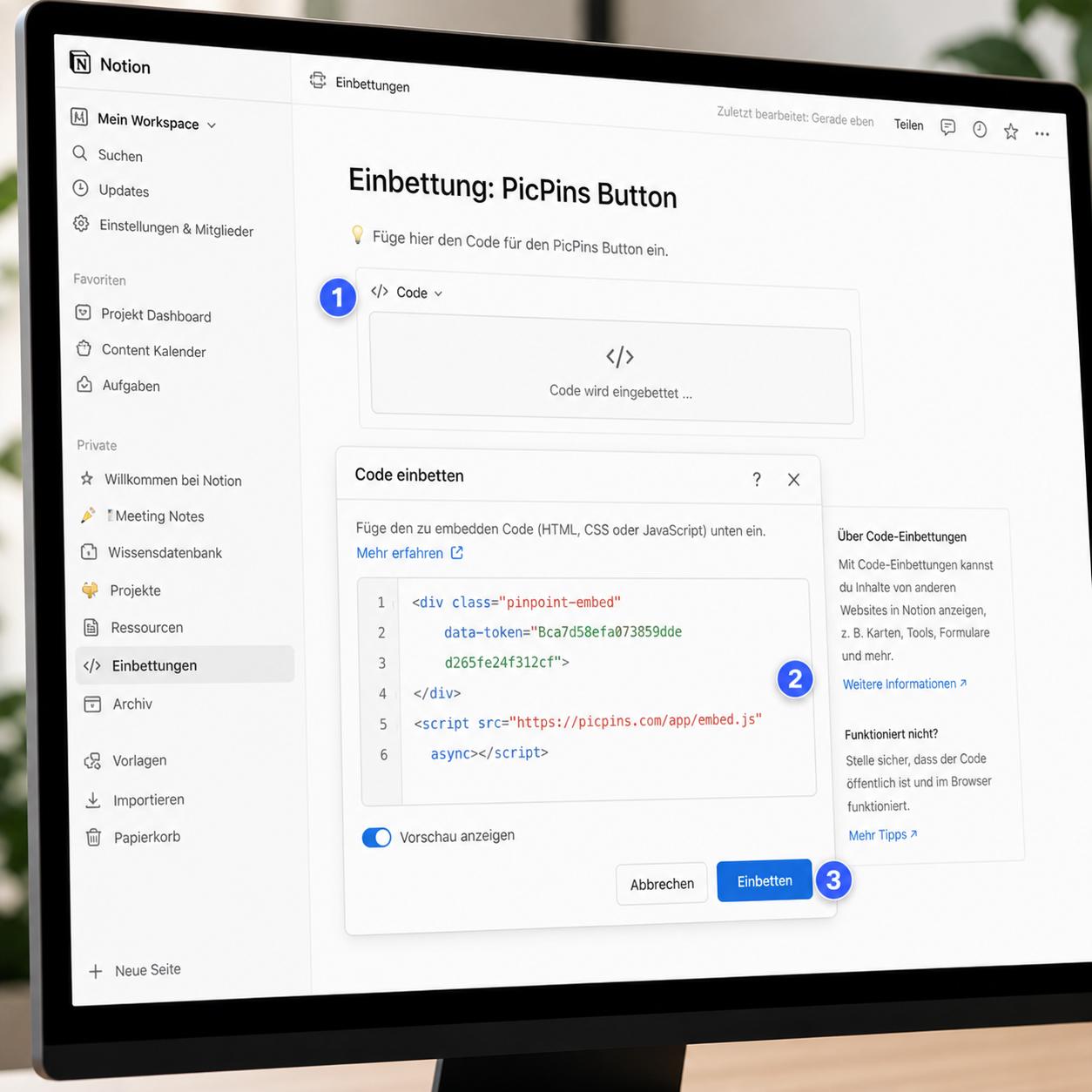
Notion recognizes a number of URL patterns and renders them as iframes. If your hotspot provider gives you a standalone URL for the project (a direct preview link), you can embed that URL in Notion.
At your hotspot provider (e.g. picpins) create and publish the project. Copy the direct preview link — in picpins it's called "Direct link to preview" in the embed modal. In Notion type /embed at the right spot, hit Enter, paste the URL, click "Embed link". Notion loads the project in an iframe. You can adjust height and width by dragging.
What works in the embed and what doesn't
Notion embeds run inside an iframe with sandbox restrictions. Click tooltips work — clicking a marker opens the tooltip as expected. Hover tooltips are unreliable — on some browsers and especially on touch devices they behave differently than on a regular website. External links from inside the tooltip either open in a new tab or get blocked by the iframe, depending on the browser.
If you target Notion specifically, set the trigger in your hotspot tool to "Click" instead of "Hover". In picpins this is per-marker in the tooltip settings popover.
Method 2: Image with separate links below
If your use case is simpler — an image plus two or three links — insert the image as a normal block in Notion and put a list of links below it. No image map, but tidy: image on top, a short numbered list below referencing visible elements. It's old-school but works everywhere, is accessible, and needs zero tooling.
Method 3: Notion API plus your own preview page
For advanced users: you can query content from a Notion database via the Notion API and combine it with interactive images on your own website. That's its own project — useful if Notion is your content source and the public site lives separately.
Notion isn't a frontend
Trying to build a full product page with hotspots in Notion fights the tool. Notion is made for internal knowledge organization. If the use case is public-facing (marketing page, product detail page), switching to a website builder or CMS pays off — and Notion stays for internal docs.
Pragmatic recommendation
For quick internal documentation with an interactive image, a picpins embed in Notion is enough. For public-facing content, Notion is the wrong tool — a dedicated website or a Wix/Squarespace site works better.